














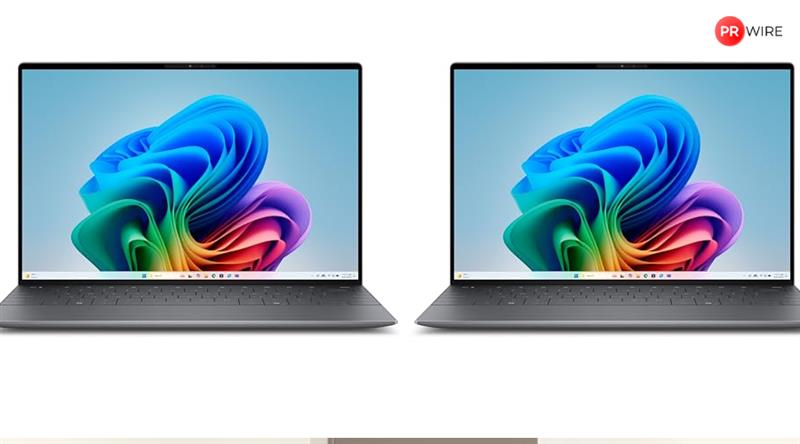
Windows 11 laptops from brands like HP, Dell, Lenovo, ASUS and Acer focus on long battery life, making them suitable for work, study and travel.
Battery anxiety is real, especially when laptops are used for work, meetings, browsing and entertainment across the day. Carrying a charger everywhere defeats the purpose of portability, which is why battery life has become just as important as performance.
Windows 11 laptops with long battery life are built for users who move between rooms, offices or cafés. With better power optimisation, efficient processors and refined software, these laptops focus on staying reliable throughout the day without frequent charging breaks.
BEST OVERALL
1. HP 15, Intel Core Ultra 5 125H (16GB DDR5, 1TB SSD) FHD, IPS, 15.6”/39.6cm, Win11, M365 Basic(1yr)*Office24, Silver, 1.65kg,
Battery life reaches around 6 hours with typical productivity on the HP 15, thanks to the efficient Intel Core Ultra 5 and integrated Intel Arc graphics. Fast charging takes the 41 Wh battery to roughly 50% in about 45 minutes, useful for quick top-ups between classes or meetings.
This AI‑focused laptop pairs a 15.6‑inch FHD IPS anti‑glare screen with 16 GB DDR5 memory and a 1 TB NVMe SSD, ideal for multitasking, browsing, and office workloads. Wi‑Fi 6 and Bluetooth 5.3 improve connectivity, while the FHD camera with shutter, backlit keyboard, and dual speakers round it out as a modern thin‑and‑light machine.
Specifications
Reasons to buy
 Powerful new‑gen Intel Ultra platform with AI acceleration and Arc graphics.
Generous 16 GB RAM and 1 TB SSD in a 1.65 kg chassis.
Reason to avoid
 41 Wh battery is modest for a performance‑oriented H‑series chip.
Only 62.5 percent sRGB coverage limits color‑critical work.
What are buyers saying on Amazon?
Buyers like the strong performance, fast processor, and overall value. However, many report weak battery backup, occasional overheating, and inconsistent display and speaker quality.
Why choose this product?
You should choose this product if you want a powerful AI‑ready everyday laptop with fast storage, ample RAM, and modern connectivity in a relatively lightweight 15‑inch body.
2. HP 15s, 12th Gen Intel Core i3-1215U (8GB DDR4, 512GB SSD) Anti-Glare, 15.6″/39.6cm,FHD, Win 11, MS Office 21, Silver, 1.69kg,
Battery life on the HP 15s with 12th Gen Core i3 typically ranges around 5–7 hours for light web and office use, thanks to its 41 Wh battery and efficient U‑series processor. Charging from low to usable levels is reasonably quick, making it suitable for students and home users who work near outlets.
This 15.6‑inch FHD model combines a 6‑core Intel Core i3‑1215U, 8 GB DDR4 RAM, and 512 GB NVMe SSD to handle documents, browsing, and streaming smoothly. The anti‑glare micro‑edge panel, dual speakers, and full‑size numeric keyboard make it practical for spreadsheets and everyday tasks, while Wi‑Fi 5 and a USB‑C data port cover basic connectivity.
Specifications
Reasons to buy
Good everyday performance and SSD responsiveness for the price.
Full‑HD, anti‑glare screen with numeric keypad for office work.
Reason to avoid
No keyboard backlight, limiting low‑light usability.
USB‑C port is data‑only, no charging or display output.
What are buyers saying on Amazon?
Buyers appreciate the laptop’s speed, smooth performance, and value. Still, they report mixed results on display quality, battery backup, and heating, and some miss a backlit keyboard.
Why choose this product?
You should choose this product if you need an affordable 15‑inch Windows laptop for study or office tasks with SSD speed and a clean, simple design.
3. acer Aspire Lite, 12th gen, Intel Core i5-12450H Processor, 16 GB, 512GB, Full HD IPS, 15.6″/39.62 cm, Windows 11 Home, MSO, Pure
Battery life on the Acer Aspire Lite AL15‑52H generally lands in the 4–6 hour range under mixed usage, as the 12th Gen Core i5‑12450H is a higher‑wattage chip paired with a modest battery. It suits desk‑centric users who occasionally move between rooms or campuses.
This slim 15.6‑inch notebook offers an IPS FHD ComfyView display, 16 GB LPDDR5 memory, and a 512 GB Gen4 SSD, giving fast boots and responsive multitasking. Intel UHD graphics handle productivity and media, while the backlit keyboard, dual speakers, USB‑C, and multiple USB‑A ports make it practical for students and office professionals needing a lightweight main machine.
Specifications
Reasons to buy
Strong H‑series CPU with 16 GB RAM at a midrange price.
IPS FHD panel and backlit keyboard in a 1.7 kg body.
Reason to avoid
Battery capacity and H‑series chip limit unplugged runtime.
Integrated graphics only; not ideal for demanding 3D workloads.
What are buyers saying on Amazon?
Buyers like the smooth performance, IPS display, and overall value, often calling it strong under 40k. They criticize battery backup, fan noise, and audio quality in some units.
Why choose this product?
You should choose this product if you want fast everyday performance and a decent IPS screen in a relatively light chassis without paying for dedicated graphics.
BUDGET GAMING
4. ASUS TUF A15 (2025), AMD Ryzen 7 7445HS, Gaming Laptop(RTX 3050,75W TGP,16GB DDR5(Upgradeable Upto 64GB )512GB
Battery life on the ASUS TUF Gaming A15 FA506NCG is typically 3–5 hours for light use, dropping to under 2 hours under sustained gaming due to the Ryzen 7 and RTX 3050 combination, given the 48 Wh battery. It’s best used near a power outlet when playing.
This 15.6‑inch FHD 144 Hz gaming laptop pairs an AMD Ryzen 7 7445HS with an RTX 3050 laptop GPU and 16 GB DDR5 RAM, delivering smooth 1080p esports and AAA gameplay at tuned settings. Military‑grade TUF durability, adaptive‑sync display, RGB backlit keyboard, and plentiful ports, including HDMI 2.1 and USB‑C DisplayPort, make it compelling for gamers and creators on a budget.
Specifications
Reasons to buy
Capable 1080p gaming with RTX 3050 and 144 Hz panel.
Upgradeable DDR5 memory and storage with robust cooling design.
Reason to avoid
48 Wh battery limits unplugged gaming sessions.
250‑nit screen is best in indoor settings only.
What are buyers saying on Amazon?
Buyers praise the price‑to‑performance ratio and gaming capability, but report mixed experiences with display behavior, thermals, and especially battery backup, which some find lasts barely an hour under load.
Why choose this product?
You should choose this product if you want a budget‑friendly gaming laptop with a high‑refresh display and modern RTX graphics in a rugged chassis.
MOST TRUSTED BRAND
5. Dell 15 Intel Core i5 13th Gen – 1334U, 16GB DDR4 RAM, 512GB SSD, FHD 15.6″/39.62 cm, Windows 11, MSO’24, Grey, 1.66kg, 120Hz
Battery life on the Dell Vostro 3530 with an i5‑1334U and a 41–54 Wh battery is generally around 4–6 hours of office work, depending on brightness and workload. It suits plug‑in office use with occasional unplugged sessions.
This 15.6‑inch FHD WVA 120 Hz laptop uses a 13th Gen Core i5‑1334U, 16 GB DDR4, and 512 GB NVMe SSD for smooth multitasking across business apps. The Titan Grey chassis includes a numeric keypad, SD card reader, HDMI, USB‑C, and security software like McAfee, making it appealing for small‑business users wanting a familiar, functional work tool.
Specifications
Reasons to buy
Balanced 13th Gen performance with 16 GB RAM for business tasks.
120 Hz screen and multiple ports including USB‑C and HDMI.
Reason to avoid
No keyboard backlight on many configurations.
Battery life and thermals draw criticism in some reviews.
What are buyers saying on Amazon?
Buyers see good value and adequate performance, but frequently complain about weak battery backup, heating, noisy fans, and some keyboard reliability issues.
Why choose this product?
You should choose this product if you want a straightforward business‑oriented 15‑inch laptop with solid specs and a high‑refresh display at a competitive price.
6. HP Smartchoice Victus, AMD Ryzen 7 7445HS, 6GB RTX 3050, 16GB DDR5(Upgradeable) 512GB SSD, FHD, 144Hz, 300 nits,
Battery life for the HP Victus Ryzen 7 7445HS with RTX 3050 and a 52.5 Wh battery usually sits around 3–5 hours in light workloads and much less while gaming. Fast charging recovers about half the battery in 45 minutes, helpful between matches or meetings.
This 15.6‑inch FHD 144 Hz gaming laptop combines a Ryzen 7 7445HS, 16 GB DDR5, 512 GB Gen4 SSD, and RTX 3050 6 GB graphics for smooth 1080p gaming and creative work. The performance blue chassis adds a backlit keyboard, DTS:X Ultra audio, Wi‑Fi, and plenty of ports, making it suitable for gamers and students wanting a versatile performance machine.
Specifications
Reasons to buy
Strong midrange gaming performance with 144 Hz panel.
Upgradeable RAM and fast Gen4 SSD for longevity.
Reason to avoid
Battery life is limited for gaming on the go.
Color coverage and brightness are adequate but not creator‑grade.
What are buyers saying on Amazon?
Buyers like the value, gaming performance, and smooth 144 Hz experience but report mixed reliability, with some units suddenly shutting down and varied opinions on display, sound, and battery.
Why choose this product?
You should choose this product if you want a budget gaming laptop with a fast screen and capable RTX graphics for both games and GPU‑accelerated workloads.
7. Lenovo V15 G4 AMD Ryzen 5 7520U 15.6 inch FHD Laptop, AMD Graphics, 16GB DDR5 5500Mhz Ram, 512GB SSD NVMe, Windows 11, Dolby Audio, Arctic Grey, 1 Year Onsite Brand Warranty
Battery life on the Lenovo V15 G4 Ryzen 5 7520U generally ranges from about 4 to 7 hours of typical office use, depending on brightness and workloads. It’s shaped for plug‑in desk work with some occasional mobility.
This 15.6‑inch FHD business‑focused laptop features a Ryzen 5 7520U, 16 GB LPDDR5, and 512 GB SSD, giving reliable performance for office, browsing, and light multitasking. Integrated Radeon graphics power dual or triple display setups, while HDMI, USB‑C with power delivery, Ethernet, and a spill‑resistant keyboard with number pad make it appealing for small‑business environments and classrooms.
Specifications
Reasons to buy
Good RAM and SSD capacity for business tasks.
USB‑C with power delivery and multiple display support.
Reason to avoid
Soldered RAM limits future upgrades.
250‑nit panel and 500:1 contrast are basic.
What are buyers saying on Amazon?
Buyers consider it suitable for students and everyday use, praising value and adequate performance, but report mixed experiences with display quality, sound loudness, and battery life occasionally dropping below two hours.
Why choose this product?
You should choose this product if you want an affordable 15‑inch work laptop with 16 GB RAM, SSD storage, and strong port selection for offices or study.
8. ASUS Vivobook Go 14, AMD Ryzen 3 7320U, 8GB RAM, 512GB SSD, FHD 14″, Windows 11, Office Home 2024, Mixed Black, 1.38 kg
Battery life on the ASUS Vivobook Go 14 with Ryzen 3 7320U and 8 GB RAM is commonly reported around 6–8 hours of light productivity, aided by its efficient 14‑inch platform and modest power draw. That makes it suitable for a full day of classes or light office work.
This thin‑and‑light 14‑inch FHD laptop offers LPDDR5 memory, 512 GB NVMe SSD, and integrated Radeon graphics, making everyday tasks responsive. A 60 Hz anti‑glare display, chiclet keyboard, and under‑1.4 kg mixed black chassis keep it portable, while Windows 11, Microsoft 365 Basic, and Office Home provide ready‑to‑use productivity tools out of the box.
Specifications
Reasons to buy
Lightweight chassis with good battery life for students.
Fast SSD and modern Ryzen CPU for daily workloads.
Reason to avoid
8 GB RAM is not upgradeable on many configs.
45% NTSC‑class color is limited for creative work.
What are buyers saying on Amazon?
Buyers highlight good value, portability, and impressive battery backup, though opinions on display vibrancy vary, with some praising colours and others calling the panel average.
Why choose this product?
You should choose this product if you want a light, affordable 14‑inch laptop for study, browsing, and office apps with solid battery life.
9. acer SmartChoice ALG, 13th Gen Intel Core i5-13420H, NVIDIA GeForce RTX 3050-6GB DDR6, 16GB RAM, 512GB SSD, FHD
Battery life for the Acer ALG AL15G‑53 gaming laptop typically falls around 3–5 hours in light use and much less when the RTX 3050 and 144 Hz panel are pushed in games. It’s primarily meant to be plugged in for long sessions.
This 15.6‑inch FHD 144 Hz system pairs a 13th Gen Core i5‑13420H with RTX 3050 6 GB graphics and 16 GB DDR4 RAM, delivering smooth 1080p gaming and content editing. Dual M.2 slots allow SSD expansion up to 2 TB, while multiple USB‑A ports, HDMI, and a colourful backlit keyboard make it appealing for gamers and creators needing strong performance on a budget.
Specifications
Reasons to buy
Strong gaming performance with 144 Hz display for smooth visuals.
Good upgrade paths for RAM and storage.
Reason to avoid
Battery life and thermals can be limiting factors.
45% NTSC panel is basic for color‑sensitive tasks.
What are buyers saying on Amazon?
Buyers praise gaming performance and smooth 144 Hz screen, but note short battery life, occasional panel issues like stuck pixels, and mixed opinions about sound output and heat management.
Why choose this product?
You should choose this product if you want an affordable RTX gaming laptop with a high‑refresh display and room to upgrade over time.
AI LAPTOP
10. HP Omnibook 5 OLED, Snapdragon X Processor (16GB LPDDR5x,1TB SSD) 2K OLED, Micro-Edge, 16”/40.6cm, Win11,
Battery life on the HP Omnibook 5 OLED with Snapdragon X platform and 59 Wh battery can stretch well past a typical workday of web and office tasks, often exceeding 10 hours in lighter scenarios. Rapid charging restores about half the battery in 30 minutes.
This 16‑inch 2K OLED laptop leverages Snapdragon X X1‑26‑100 with integrated NPU for AI‑assisted Windows experiences, teamed with 16 GB LPDDR5x and a 1 TB NVMe SSD for fast, silent operation. The 1920 x 1200 OLED panel offers 95% DCI‑P3 coverage, while Wi‑Fi 6E, dual USB‑C, privacy webcam shutter, and backlit keyboard target mobile professionals and creators seeking vivid visuals and long runtime.
Specifications
Reasons to buy
Excellent OLED screen with wide color gamut and low blue light.
Long battery life with fanless, ARM‑based Snapdragon efficiency.
Reason to avoid
ARM platform can face app compatibility quirks versus x86.
Limited port variety compared with some 15‑inch competitors.
What are buyers saying on Amazon?
Buyers praise the vivid OLED display, snappy everyday performance, long battery life, and light design, calling it a strong option for students and professionals.
Why choose this product?
You should choose this product if you want a next‑gen AI laptop with long battery life, stunning OLED visuals, and silent everyday performance in a 16‑inch form factor.
Reasons to consider when buying a Windows 11 laptop
- Battery endurance: Consistent all-day usage without frequent charging for work and travel.
- Performance: Smooth multitasking with Windows 11 and efficient processors for everyday tasks.
- Display quality: Clear, bright screens that stay readable both indoors and outdoors.
- Portability: Lightweight designs that fit easily into backpacks and workbags.
- Connectivity: Multiple ports and strong wireless support for versatile use without slowing down.
Why does battery life matter in a Windows 11 laptop?
Long battery life reduces the need for constant charging, especially for students and professionals on the move. It ensures your laptop stays productive through calls, presentations and long work sessions without interruptions.
Do all long-battery laptops compromise performance for power?
Not always, many Windows 11 laptops use efficient processors and intelligent power management to balance performance with runtime. This means you can get reliable speed for work and entertainment without draining the battery quickly.
Should I prioritise battery life over other features?
It depends on your needs — if you travel or work remotely often, battery life is crucial. However, balancing it with performance and display quality makes the overall experience more dependable and enjoyable.
Top 3 features of best Windows 11 laptops
| Windows 11 laptops | CPU | RAM | Storage |
|---|---|---|---|
| HP 15 Ultra 5 fd1354TU | Intel Core Ultra 5 125H | 16 GB DDR5 | 1 TB SSD |
| HP 15s i3‑1215U | Core i3‑1215U | 8 GB DDR4 | 512 GB SSD |
| Acer Aspire Lite AL15‑52H | Core i5‑12450H | 16 GB LPDDR5 | 512 GB SSD |
| ASUS TUF A15 FA506NCG | Ryzen 7 7445HS | 16 GB DDR5 | 512 GB SSD |
| Dell Vostro 3530 | Core i5‑1334U | 16 GB DDR4 | 512 GB SSD |
| HP Victus fb3134AX | Ryzen 7 7445HS | 16 GB DDR5 | 512 GB Gen4 SSD |
| Lenovo V15 G4 | Ryzen 5 7520U | 16 GB LPDDR5 | 512 GB SSD |
| ASUS Vivobook Go 14 | Ryzen 3 7320U | 8 GB LPDDR5 | 512 GB SSD |
| Acer ALG AL15G‑53 | Core i5‑13420H | 16 GB DDR4 | 512 GB SSD |
| HP Omnibook 5 OLED | Snapdragon X X1‑26‑100 | 16 GB LPDDR5x | 1 TB SSD |
Similar articles for you
13th Gen i5 gaming laptops for serious gamers: High performance and fast loading times on a budget
Boost performance with intel powered AI laptops built for speed and multitasking
Top 10 AI laptops in 2025 built for smarter workflows and everyday performance
The article originally appeared on Hindustan Times