

















Want to keep your browsing private? Incognito mode helps, but it doesn’t erase everything. Here’s how to delete history properly and stay secure.
Many people rely on Incognito mode to keep their online activity private, assuming that closing the window erases all traces. The feature is often used on shared computers, public devices, or simply to prevent automatic history storage. While Incognito prevents your browsing from being recorded locally, it does not guarantee full anonymity. Understanding what it does and does not delete is key to maintaining privacy.
What Incognito Actually Deletes
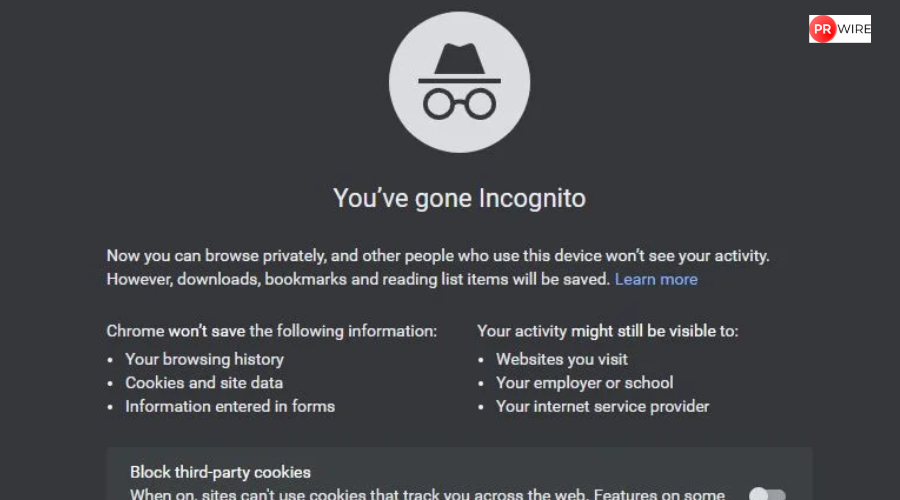
When you open an Incognito window, your browser creates a temporary session separate from your main profile. Websites you visit do not appear in the regular history, and cookies or site data generated during the session are automatically removed once all Incognito tabs are closed. Form entries, search bar activity, and login information are also discarded unless you specifically choose to save them. Closing every Incognito window ensures that the session ends and the browser deletes this temporary data.
Also read: Stranger Things Season 5: How the show made its cast look a decade younger – Explained
What Incognito Does Not Hide
Incognito does not hide your activity from websites, internet service providers, schools, or office networks. Your IP address remains visible, downloads remain on your device, and bookmarks added during the session are saved permanently. This means that deleting Incognito history mainly involves closing all session windows and manually removing any downloads or bookmarks if needed.
Also read: PlayStation India Cup 2025 finale: Finalists revealed, dates confirmed, details here
View this post on Instagram
Steps to Clear Incognito Data
- Close all Incognito windows to end the session.
- Remove any downloaded files from your device.
- Delete bookmarks saved during the session via the bookmarks manager.
- Clear your browser cache and DNS records to remove residual traces. On Windows, you can use ipconfig /flushdns in Command Prompt to erase stored domain lookups.
Also read: Instagram expands AI dubbing and translation to Indian languages: Here’s what’s new
When Incognito Privacy Matters
Incognito is best for local privacy, such as checking personal email on a shared computer or browsing without saving suggestions. It does not protect against network monitoring or external tracking. Users who require greater privacy, such as journalists or individuals who are concerned about security, should use Incognito alongside additional tools such as VPNs or privacy-focused browsers.
For better protection, use a VPN to hide your IP address and encrypt your connection. Disable account auto sign-in, manage cookies regularly, and review browser settings to limit data storage. These steps, combined with the correct use of Incognito, allow you to browse with greater control over your digital footprint.
The article originally appeared on Hindustan Times